
passionate business schemas
Enterprise RAID failures are rarely straightforward. Modern servers often pass through multiple administrators, failed recovery attempts, replacement hardware, and different RAID controllers before reaching a data recovery laboratory.
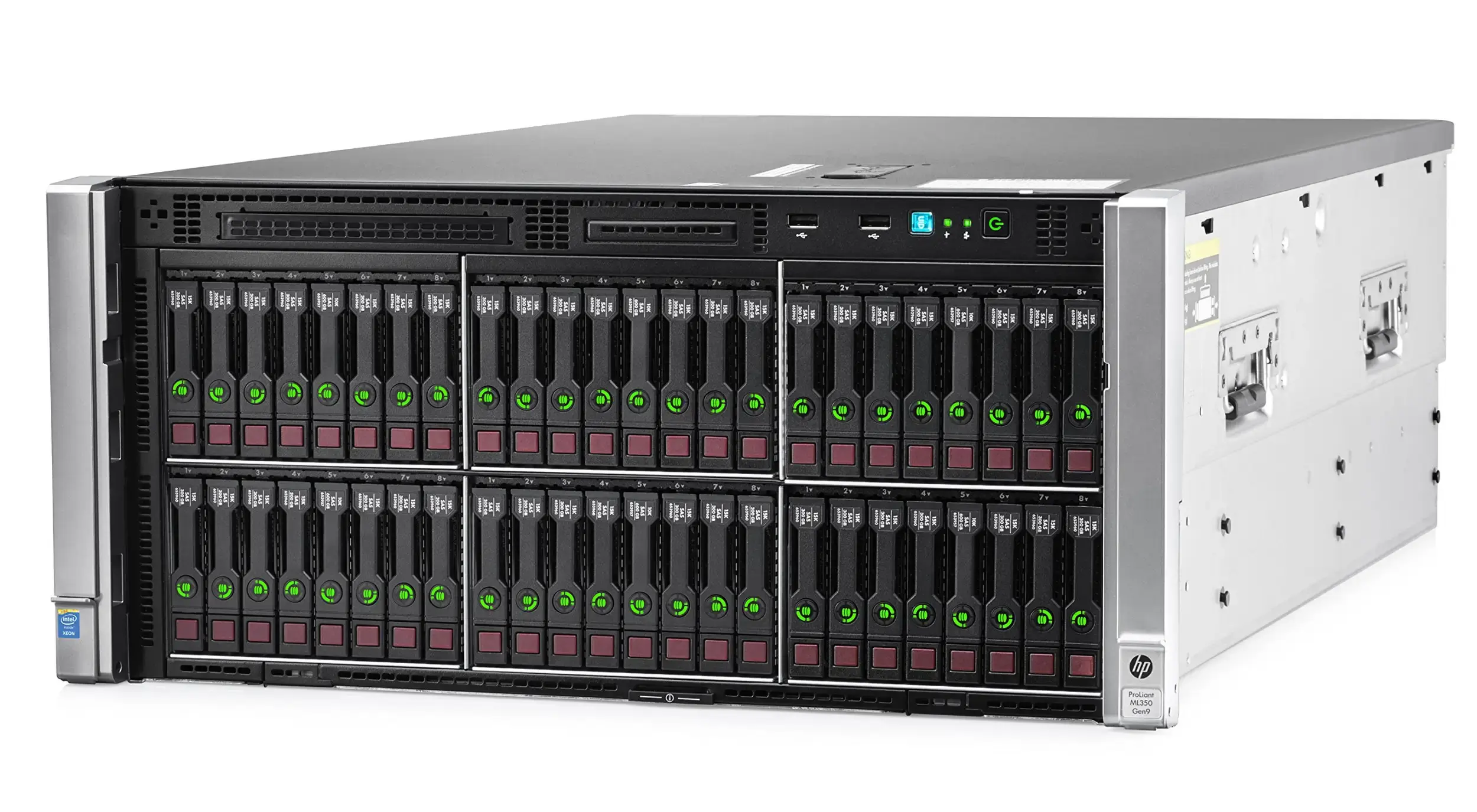
Recently, we received one such case involving an HP ProLiant ML350 Gen9 server that demonstrated why experienced forensic analysis is often more valuable than automatic RAID reconstruction.
transform high standards
Setus vitae pharetra mattiys adipiscing integer duinec purus aliquam imperdiet.
productivate next-generation
Setus vitae pharetra mattiys adipiscing integer duinec purus aliquam imperdiet.
The Initial Situation
The customer arrived with four 1TB SAS drives removed from an HP ML350 Gen9 server.
Unfortunately, very little information was available.
The customer only knew:
- HP ProLiant ML350 Gen9
- Four 1TB SAS drives
- SQL Server database required urgently
- Original RAID level unknown
- Previous attempts had already been made in another city
The only assumption from the customer was:
“It was probably RAID5… or maybe RAID10.”


Driving success to your business
Previous Recovery Attempts
The drives had previously been examined elsewhere before arriving at our laboratory.
One particularly interesting discovery was that the disks had later been inserted into a Dell PowerEdge server.
This immediately raised a concern.
Enterprise RAID controllers frequently write their own configuration metadata to member disks.
As a result, the original HP metadata could now be mixed with newer Dell controller metadata.
Automatic RAID reconstruction software often becomes confused in situations like this.
Automatic RAID Detection Produced the Wrong Answer
Using professional recovery software, the drives were initially detected as:
RAID1
Unfortunately:
- No valid partitions appeared.
- No usable filesystem could be mounted.
- Automatic reconstruction produced no meaningful results.
At this stage many recovery attempts stop because the software reports a RAID level with high confidence.
We chose not to trust the automatic detection.
Beginning the Investigation
Instead of relying on software guesses, we began examining the drives manually.
We extracted and compared metadata from each member disk.
Several interesting discoveries were made.
HP Smart Array Metadata Was Still Present
Although Dell metadata existed near the end of the drives, we also located original HP Smart Array metadata approximately 4 MB before the end of the disks.
This immediately confirmed that the original HP controller information had not been completely overwritten.
Even more interesting was that one drive contained an HP controller diagnostic message:
“Replacement drive(s) detected OR previously failed drive(s) now appear to be operational. Logical drive(s) disabled due to possible data loss.”
That single message explained why automatic reconstruction was failing.
The RAID controller itself had previously detected an inconsistent array.
Comparing the Data Instead of the Metadata
Rather than trusting controller metadata alone, we began comparing actual sectors across all four disks.
Initially the results appeared contradictory.
Some sectors matched perfectly.
Other sectors were completely different.
At first glance this looked confusing.
However, after extending the comparison across multiple offsets throughout the disks, a clear pattern emerged.
Two disks behaved as mirror partners.
The remaining two behaved as another mirror pair.
This was no longer consistent with RAID5.
The original array was actually:
RAID10
Reconstructing the Original Array
Instead of rebuilding all four disks together, we selected the best member from each mirror pair.
These two logical members were then combined into the RAID0 stripe layer used internally by RAID10.
Immediately the situation changed.
A valid partition became visible.
Unfortunately, the primary partition metadata had been partially overwritten.
However…
A second partition remained completely intact.
This partition contained the customer’s production SQL Server databases.
Validating the Recovery
Recovering files is only half the job.
The real question is:
Are they actually usable?
We began validating different file types.
ZIP Archives
A 300 MB compressed archive extracted without errors.
Microsoft Excel Files
Multiple Excel spreadsheets opened correctly.
JPEG Images
Image files displayed normally with no visible corruption.
These tests strongly suggested that the RAID reconstruction was accurate.
SQL Server Verification
The customer’s most valuable data consisted of SQL Server databases.
Rather than simply checking file signatures, we decided to let SQL Server itself validate the recovery.
Several SQL Server backup files (.BAK) recovered from the RAID were tested.
SQL Server successfully:
- Read the backup headers
- Recognized the backup sets
- Parsed the metadata
- Restored multiple databases successfully
This represented the highest level of validation possible.
If the RAID stripe size, disk order, or mirror selection had been incorrect, SQL Server would almost certainly have reported checksum errors or invalid backup structures.
Instead, the backups restored normally.
A Separate Database Issue
During testing we also examined the customer’s latest live database files (MDF/LDF).
Initially the database failed to attach.
Further investigation revealed that the transaction log contained genuine tail-end corruption.
This was not caused by the RAID reconstruction.
The successfully restored backup confirmed that the RAID recovery itself was correct.
Final Result
The customer received:
- Successfully reconstructed RAID10 data
- Multiple verified SQL Server backups
- Production database files
- Additional business documents and application data
The customer independently verified the recovered data and confirmed a successful recovery.
Lessons Learned
This case demonstrates several important lessons.
Never trust automatic RAID detection blindly.
Automatic reconstruction is an excellent starting point—but not the final answer.
Controller metadata can be misleading.
HP Smart Array metadata and Dell PERC metadata may coexist after previous recovery attempts.
Understanding which metadata belongs to the original array is critical.
Compare actual data, not just metadata.
Mirror relationships, stripe behaviour, and filesystem consistency often reveal more than controller configuration blocks.
Validate with the original application.
Opening a ZIP file is useful.
Successfully restoring a SQL Server backup is definitive.
Application-level verification provides the highest confidence that recovered data is genuinely usable.
Conclusion
Enterprise RAID recovery is often less about software and more about careful forensic analysis.
In this case, the evidence initially pointed in multiple directions:
- Unknown RAID level
- Incorrect automatic RAID detection
- Mixed HP and Dell metadata
- Previous recovery attempts
- Missing primary partition metadata
- Controller warnings about replacement drives
By methodically validating every assumption, we reconstructed the original RAID10 configuration, recovered the customer’s SQL Server environment, and verified the integrity of the recovered data using SQL Server itself.
Sometimes the difference between a failed recovery and a successful one is not better software—it is the willingness to question the first answer and continue investigating until the evidence tells a consistent story.
About Mind Merge Data Recovery Services
For over 15 years, Mind Merge Data Recovery Services has specialized in complex enterprise recoveries involving RAID arrays, NAS systems, virtual machines, SQL Server, Oracle, Exchange, Linux servers, ransomware incidents, and physically damaged storage devices.
If your business is facing a critical server failure, our laboratory combines advanced recovery tools with forensic analysis to maximize the chances of a successful recovery—especially in cases where previous recovery attempts have failed.

Leave A Comment